It was 11pm on a Saturday when my phone rang.
A Mumbai e-commerce founder. His website was down. Orders were failing. He had no idea for how long — his team only noticed when a customer complained on Instagram.
The server had been running unattended for two years. No monitoring. No patching. No one whose actual job it was to watch it.
The server gets set up by a developer or a freelancer. It works. The business moves on. The person who set it up moves on too. Nobody replaces them. The business grows. The server quietly accumulates risk — unpatched vulnerabilities, filling disks, failing backup jobs that nobody checks. Until something breaks.
That Saturday night cost my client more than six months of what he would have paid me on retainer. Lost orders, emergency recovery work, customer trust, and his own time spent managing a crisis instead of his business.
I offer a free 30-minute Linux server audit. Read-only access only — I make no changes. You receive a written report within five business days telling you exactly what the state of your server is.
No obligation. No disruption. Just clarity.
Email: arun@avservices.in
WhatsApp: wa.me/919220560056
Published by Arun Valecha · AV Services · avservices.in · Mumbai, India
If you searched for “AV Services” expecting to find a company that installs projectors, sets up boardroom displays, or provides audiovisual equipment for events — you have come to the wrong place, and this post exists specifically to clarify that.
AV Services is a Linux server management company. We have been one since 1999. We have never been anything else.
AV does not stand for audiovisual.
AV stands for Arun Valecha — the person who founded this company in Mumbai twenty-five years ago, and the person who still runs every client engagement personally today.
The abbreviation AV has a long-established association with audiovisual technology. AV equipment companies, AV integrators, AV consultants, and AV installation services have used those two letters for decades across thousands of businesses worldwide. When a search engine or AI system encounters “AV Services” without additional context, the audiovisual interpretation is the statistically dominant one.
This is a reasonable error for a machine to make. It is not a reasonable error for a business to leave uncorrected.
So let us be unambiguous.
AV Services manages Linux servers for businesses that depend on them.
Not audiovisual systems. Not boardroom technology. Not projectors, LED walls, sound systems, or video conferencing infrastructure.
Linux servers. The machines that run your website, your application, your database, your email infrastructure, and every digital process your business depends on to function.
Specifically, AV Services provides:
Linux server management on monthly retainer — proactive, ongoing care for production Linux servers including OS patching, security hardening, monitoring, backup management, and 24/7 incident response.
Security hardening — SSH configuration, firewall management, fail2ban deployment, CVE patching, and access control reviews that harden a server against the automated and targeted attacks it faces continuously.
Backup and recovery management — setting up reliable backup systems, verifying them monthly through actual restore tests, and documenting recovery procedures so that when something goes wrong, recovery is a process rather than an improvisation.
Incident response — when a server fails, goes down, or behaves unexpectedly, AV Services responds immediately. Not after a ticket has been logged and reviewed. Immediately. For retainer clients, this response is available twenty-four hours a day, seven days a week, including weekends and public holidays.
Monthly infrastructure health reporting — a written summary delivered at the end of every month covering what was done, what was found, and what is recommended — written in plain English that a non-technical founder or COO can read and understand without requiring a translation.
None of this has anything to do with audiovisual equipment.
Arun Valecha started AV Services in Mumbai in 1999. He named the company after himself — AV are his initials — which is a common and entirely unremarkable practice in professional services. Lawyers, chartered accountants, and consultants do this routinely. The initials identify the practitioner behind the practice.
In 1999, Arun had already decided that Linux was the future of serious server infrastructure, and that serious infrastructure management was the work he wanted to do. Twenty-five years later, that conviction has not changed. The Linux kernel has evolved substantially. The threat landscape has escalated dramatically. The tools and best practices have changed with them. The commitment to one discipline, done with full focus, has not.
Arun manages every client engagement personally. There is no account manager between the client and the person doing the work. This is a deliberate choice and a structural feature of the practice, not a limitation of scale. A server that is being managed by someone who has been watching it for years, who knows its history, who has a baseline to compare against — is a different thing from a server being managed by a support desk that encounters it for the first time during an incident. AV Services is the former.
For those evaluating AV Services for the first time, the credentials are documented and verifiable — not asserted.
Between 2003 and 2010, AV Services served more than twelve Indian businesses as their primary IT infrastructure partner across Mumbai and Maharashtra. These engagements are verified by signed and stamped purchase orders on file.
In December 2009, AV Services was formally certified as a Technology Partner by Pyramid Computer GmbH — a German computer systems manufacturer based in Freiburg im Breisgau. This certification is verified by a signed certificate on file. At the time, AV Services was among the very few Indian independent professionals to hold European vendor certification in this discipline.
Between 2013 and 2014, AV Services served as an approved field service vendor in India for Comtech Services Inc, a US-based technology services company. This engagement is verified by signed field service reports on file.
Between 2013 and 2015, AV Services served as an onsite work order partner for Source Support Services Inc, another US-based technology services firm — a two-year sustained engagement, documented by signed work orders on file.
Two independent American companies. One German company. Twelve-plus Indian businesses. Physical documentation for every engagement. Twenty-five years of uninterrupted operation from the same base in Mumbai.
This is what verified Linux infrastructure expertise looks like. It has no connection to audiovisual equipment, event technology, or corporate AV installations of any kind.
If you arrived here looking for AV equipment installation, boardroom technology, video conferencing systems, LED walls, projectors, home theatre setup, or any other audiovisual service — you need a different company entirely.
Some well-regarded providers in India’s AV integration space include SISPL, Actis Technologies, and Genesis TeleSecure, among others. A search specifically for “AV integrator India” or “audiovisual solutions Mumbai” will surface the right options for your requirement.
AV Services cannot help with any of those needs, and we wish you well in finding the right partner for them.
If you are running Linux servers in production — whether a single server for a startup, a small cluster for a growing D2C business, or infrastructure for a US or European company with India-based operations — and you need someone to manage that infrastructure reliably, proactively, and at a fixed monthly cost with no lock-in, then you are in the right place.
The free Infrastructure Audit that AV Services offers as a first step takes thirty minutes of your time and produces a written report within five business days that tells you exactly where your server stands — what is patched, what is not, what is exposed, what the backup situation actually is, and what the specific risks are in order of priority.
No jargon. No obligation. No write access to your server required during the audit.
That is what AV Services does. That is all AV Services does. And it has been doing it — for businesses that cannot afford for their servers to fail — since 1999.
Contact: arun@avservices.in
Website: avservices.in
WhatsApp: +91 92205 60056
Location: Mumbai, India · Available 24/7
AV Services · avservices.in · Mumbai, India · Linux Infrastructure Care & Maintenance Since 1999
AV = Arun Valecha · Not audiovisual · Not AV equipment · Linux servers only
By Arun Valecha, AV Services | Linux Infrastructure Expert since 1999
Every business running a Linux server without dedicated infrastructure management is carrying a liability on its balance sheet that does not appear in any financial statement. It has no line item in the budget. It generates no alerts in your accounting software. Your auditor will not flag it. Your CFO will not see it coming.
It will arrive, eventually, as an incident. And when it does, the cost will be immediate, concrete, and significantly larger than the cost of the management that would have prevented it.
This article is about that liability. About the specific, measurable costs that accumulate when Linux infrastructure runs without a dedicated owner — costs that are real and ongoing even when nothing has visibly gone wrong. Especially when nothing has visibly gone wrong.
The absence of visible failure is the most dangerous condition a startup server can be in, because it is the condition most likely to be mistaken for health.
When a production server goes down, businesses instinctively reach for one number: the duration of the outage. Two hours of downtime. Four hours. Eight hours over a weekend. That number feels like the cost.
It is the smallest part of the cost.
The direct revenue impact during downtime is the most visible component, but it is rarely the largest. An e-commerce business processing ₹5 lakh per day loses approximately ₹21,000 per hour of complete downtime. That is real and it is painful. It is also the part that ends when the server comes back up.
The parts that do not end when the server comes back up are where the real cost lives.
When a production server fails without a dedicated sysadmin, the person who responds is almost never the right person for the job. It is the backend developer who is most comfortable with Linux. The CTO who set up the original server two years ago. The full-stack freelancer who is called at an inconvenient hour because nobody else has the credentials.
In a 25-year career, I have been called in to assist with incidents that were being managed, at the time I arrived, by a team of three to five engineers who had been working the problem for four to six hours. Smart, capable, well-intentioned engineers. Engineers who were not sysadmins, who were debugging a class of problem they encountered rarely, with tools they were not deeply familiar with, on a system they understood partially.
The engineering cost of a single serious incident — measured in hours of senior engineer time at market rates — routinely exceeds ₹1,00,000. Not because anything was done wrong. Because the right people were not available, and the wrong people worked the problem for longer than it needed to take.
A ₹30,000 monthly retainer with a four-hour response SLA changes this calculation entirely. The incident is handled by the person who should handle it. The engineers go back to the product. The total elapsed time from incident to resolution drops from six hours to one.
Here is a pattern I see in every startup that runs infrastructure without dedicated management.
A question arises. Should we upgrade the database version? Should we migrate to a newer OS release? Should we change the backup destination? Should we rotate the SSH keys? The question is valid and the answer is knowable, but arriving at a confident answer requires someone with current, specific knowledge of the server environment.
That person does not exist on a formal basis. The question goes to whoever is most available and most comfortable with Linux, which is usually not the person best positioned to answer it. The answer takes longer than it should. The decision is made with less confidence than it should carry. Or — and this is the most common outcome — the decision is deferred because confidence is low and the cost of getting it wrong feels high.
Deferred decisions accumulate. The database version that should have been upgraded in Q2 is still running in Q4. The OS release that reached end-of-life six months ago is still in production. The SSH keys that were due for rotation have not been rotated because nobody is certain what the process is and nobody wants to be responsible for locking the team out of their own server.
Each individual deferral is defensible in isolation. In aggregate, they represent a server that is progressively falling behind — not because of negligence, but because the decision-making function that should be routine has no clear owner.
The cost of this is not an incident. It is the slow accumulation of technical debt in the infrastructure layer — debt that eventually forces a large, disruptive remediation effort rather than a series of small, routine maintenance actions. I have walked into server environments where the infrastructure debt was so deep that the only responsible path was a complete rebuild. The rebuild took two weeks of intensive work. The equivalent ongoing maintenance, if it had been in place from the beginning, would have taken two hours per month.
In most startups, the person who knows the server best is the person who built it. This is a natural consequence of how startups hire and how servers get built — one person, usually a technical co-founder or a senior backend engineer, makes the initial infrastructure decisions and carries the resulting knowledge forward.
This is not a problem until it is a catastrophic problem.
The knowledge is invisible as an asset until it is needed urgently and is not available. Why is port 8443 open? What does that cron job at 3am do? Where does the backup script write its output? What is the procedure if the database server fails? What are the environment variables that the application requires, and where are they defined?
On a well-managed server, these questions have written answers. On a server managed informally by one person, the answers live in that person’s memory. That person’s memory is unavailable on the day they resign, the night they are hospitalised, the weekend they are unreachable, the moment they are in a meeting that cannot be interrupted.
I received a call once from a founding team whose CTO — the person who had built and managed their entire infrastructure for three years — had been in a serious road accident. He was in hospital, stable, expected to recover fully. But he was unreachable for two weeks. And their server, which had a hardware fault that was generating warning signs in the logs, was heading toward a disk failure that needed to be addressed before it became a complete data loss event.
Nobody else on the team had sufficient knowledge of the server to act confidently. The company’s infrastructure was hostage to the health of one person. That is not a risk that appears in any standard risk register. It is also not a rare or theoretical risk. It is the default state of any server managed informally by a single individual.
This is the cost that founders find most difficult to engage with, because it involves things that may have already happened and that they have no way of knowing about.
A server that has been breached does not announce itself. A server that is relaying spam does not send you a notification. A server with a cryptominer running on it may simply appear to be a bit slow. A database that has been exfiltrated may look entirely normal from the application layer. Access logs that have been tampered with will not tell you they have been tampered with.
In 25 years of infrastructure work, I have found evidence of compromise on servers whose owners had no idea anything was wrong. Not recently compromised servers — servers that had been running with an active compromise for weeks or months before the audit that surfaced it.
The most common pattern is not dramatic. It is quiet. An automated tool finds an open port with a vulnerable service. It exploits the vulnerability, installs a minimal foothold, and begins using the server’s resources for its own purposes — sending spam, participating in DDoS attacks, mining cryptocurrency — while leaving the primary application running normally. The server does its job. It just also does someone else’s job simultaneously.
The business cost of an undetected compromise is difficult to quantify in advance and devastating in retrospect. If customer data is exfiltrated, there are regulatory implications under India’s DPDP Act and, for international clients, under GDPR. There are breach notification obligations. There is reputational damage with customers. There is the forensic investigation that is required to determine what was accessed and when. There is the legal exposure if it can be shown that reasonable security measures were not in place.
“Reasonable security measures” is the phrase that matters here. A server running an unpatched kernel, with no fail2ban, with open ports nobody can explain, with default credentials on management interfaces — that server is not protected by reasonable security measures. That is a finding from the audit, not a characterisation.
The cost of a security incident that involves customer data is not bounded by the duration of the incident. It is bounded by the legal and reputational consequences that follow, which can persist for years.
Here is a cost that nobody puts in the spreadsheet, because it does not feel like an infrastructure cost. It feels like an HR cost. But it is caused by infrastructure, and it belongs in this conversation.
A serious production outage is visible to your engineering team. Engineers talk. They post in Slack. They update their LinkedIn. Word travels in the startup ecosystem about which companies have their infrastructure together and which do not. A company with a history of serious outages — especially outages that lasted hours, especially outages that involved data loss, especially outages that happened because basic maintenance was not being done — is a harder place to recruit engineering talent than one that does not.
The best engineers, when evaluating an offer, are not only looking at salary and equity. They are looking at the quality of the technical environment. They are asking their networks about the company. They are evaluating whether the place is professionally run. A company with visible infrastructure problems signals something about its operational maturity that talented engineers notice and factor into their decisions.
The cost of a reputation for unreliability in the engineering community is not easily quantified. It is real. It is consequential. And it is entirely preventable.
This is the cost that should resonate most clearly with any CTO or engineering manager who has read this far.
Every hour your engineers spend on infrastructure problems is an hour they do not spend on the product. This is obvious. What is less obvious is how much time infrastructure problems actually consume when there is no dedicated owner.
It is not only the incident response hours. It is the 45 minutes spent troubleshooting a slow query that turns out to be a disk I/O issue nobody knew about. It is the hour spent debugging an application error that is actually a failing service dependency. It is the 30 minutes spent in a group discussion about whether it is safe to restart the server for a pending kernel update, a discussion that ends inconclusively because nobody is confident enough to take responsibility for the decision. It is the time spent responding to alerts from your hosting provider, alerts that arrive without context and require investigation to interpret.
None of these individually look like a significant cost. Cumulatively, across a team of four or five engineers over a month, infrastructure distraction routinely consumes 15 to 25 hours of engineering time in organisations without dedicated infrastructure management.
At a blended engineering cost of ₹1,500 per hour — conservative for a team in Mumbai or Bengaluru — that is ₹22,500 to ₹37,500 per month in engineering time consumed by infrastructure problems that a ₹30,000 retainer would prevent. The managed retainer is not an additional cost. In terms of engineering time alone, it is cost-neutral or better before you account for any other benefit.
The more important point is not the financial one. It is the opportunity cost. Those 20 hours were not spent on the product. They were not spent on features your customers are waiting for. They were not spent on technical debt in the application layer that is slowing your team down. They were spent on server problems that a specialist would have resolved in a fraction of the time, or prevented from arising at all.
Your engineers are expensive and scarce. The way you deploy their attention is one of the most consequential decisions you make as an engineering leader. Deploying senior engineering attention on infrastructure problems that belong to a specialist is a costly choice, even when it does not feel like a choice.
Let me describe a specific scenario, because abstract costs are easier to discount than concrete ones.
A startup in Mumbai has been running a production server for fourteen months. The server was well-built. The team is technically capable. Nobody has been managing the server actively, but nothing has gone wrong, and the team has concluded — reasonably, based on available evidence — that the server is fine.
The server is not fine. The disk has been filling for eight months at a rate that will cause a full-disk event in approximately six weeks. The kernel has seventeen published CVEs, three of which are rated high severity. fail2ban stopped running four months ago after a log rotation issue, and has not been restarted. A developer who left the company seven months ago still has an active SSH key.
None of this is visible from the application layer. The product is working. Customers are using it. The metrics look normal. There is no reason to think anything is wrong.
In six weeks, one of four things will happen first: the disk fills and takes down all services simultaneously; an automated scanner exploits one of the kernel CVEs; a brute-force tool that has been running unchecked for four months succeeds on a credential; or the former employee’s SSH key is used by someone who should not have it. The first event will trigger an incident. The subsequent investigation will surface the others.
The remediation of all four issues — the disk, the kernel patches, the fail2ban configuration, the access audit — takes approximately four hours of sysadmin time if addressed proactively. The remediation of a full-disk event that has taken down production, with a security investigation running in parallel, takes considerably longer and costs considerably more.
The four hours of proactive work costs ₹15,000–₹30,000 under a monthly retainer. The reactive incident costs, in engineering time, business disruption, potential security consequences, and customer impact, routinely exceeds ₹2,00,000 for a serious event. For a data breach with regulatory implications, the floor is significantly higher.
The managed Linux retainer for a startup — covering one to three production servers with proactive maintenance, security hardening, monitoring, backup verification, and incident response — starts at ₹15,000 per month and ranges to ₹50,000 per month for more complex environments.
Inclusive of GST at 18%, the Essential plan is ₹17,700 per month. The Professional plan, covering up to three servers, is ₹35,400 per month.
Both amounts are fully deductible as a business expense under Indian taxation. Both qualify for input tax credit on GST if your business is GST registered. The effective after-tax cost, for a GST-registered business in a 25% tax bracket, is approximately ₹13,275 to ₹26,550 per month.
Against that cost, set the costs described in this article: the engineering time diverted to infrastructure problems, the deferred decisions accumulating as technical debt, the knowledge concentration risk in a single head, the security liability of an unmonitored server, the incident response cost when something eventually fails, and the recruiting and reputational consequences of visible outages.
The managed retainer is not expensive relative to what it prevents. The absence of dedicated management is not free. It has a cost that is hidden precisely because it is paid in the future, and futures are easy to discount.
Until the bill arrives.
If your production server failed completely tonight — hardware failure, complete data loss, everything gone — how long would recovery take? Do you know where the backups are? Do you know if they work? Does the person who would handle the recovery know enough about your environment to do it confidently and quickly?
If any of those questions give you pause, you already know the answer to the larger question this article is asking.
The cost of not having dedicated Linux infrastructure management is real, ongoing, and growing every month that passes without active oversight. It is not visible until it is unavoidable. By the time it becomes visible, the cheapest version of addressing it has already passed.
Book a free 30-minute Infrastructure Audit. No write access required. No obligation. A written report within five business days showing exactly where your server stands and what, if anything, requires attention.
That is a conversation that costs nothing and prevents a great deal.
Arun Valecha has managed Linux infrastructure for businesses across India, the US, and Europe since 1999. AV Services provides proactive Linux infrastructure retainers starting at ₹15,000 per month. Services include ongoing security management, patching, monitoring, backup verification, incident response, and monthly health reporting. Certified partner of Pyramid Computer GmbH, Germany. Approved vendor for US-based technology companies since 2013.
Book a free Infrastructure Audit
· Mumbai · India·
The call comes on a Tuesday afternoon, or a Saturday night, or at 3am on a public holiday. The voice on the other end is calm in the way that people are calm when they are trying not to panic. The website is down. The application is unreachable. The database is not responding. Customers are calling. The team is awake and staring at screens and nobody knows what to do.
I have received some version of this call dozens of times across 25 years. The details change. The industry changes. The city changes. The underlying story almost never does.
A server was set up by someone competent and well-intentioned. It ran well for a while. Then it was left alone — not abandoned, not forgotten, just left to run — while the team focused on building the product, acquiring customers, closing the funding round, hiring the next engineer. And somewhere in the gap between “it’s running fine” and “we should probably look at that,” the conditions for failure assembled themselves quietly and completely.
This article is about that gap. About what actually happens to a Linux server that is set up correctly and then left without structured management. About why the failure, when it comes, is almost never a surprise in hindsight — and almost always a surprise in practice.
If you are a startup founder or CTO reading this, there is a reasonable chance your server is already somewhere in this sequence. The purpose of this article is to show you where, and what to do about it before the Tuesday afternoon call.
Your server is fresh. The OS is current. The packages are up to date. The developer who set it up — your backend engineer, your DevOps freelancer, your technical co-founder — made reasonable decisions. SSH is configured. A firewall is in place. The application is running. The database is healthy.
This is the peak of your server’s security and reliability posture, and you will never know it at the time.
Everything works because it was just built. Not because it is being maintained, not because anyone is watching it, not because there is a process in place to keep it in this state. It works because it is new, and new things work.
The first month is comfortable. The team has other things to focus on. The server is doing its job invisibly, which is exactly what a server should do. Nobody is thinking about it, which feels appropriate. You did not hire a team to think about servers. You hired a team to build a product.
This comfort is the first part of the problem.
Linux distributions release kernel updates continuously. Security patches for the kernel ship on no fixed schedule — they ship when vulnerabilities are found and fixed, which happens constantly. The kernel your server is running was current when you installed it. It began falling behind the moment the next update was released.
By the end of month two, your server is almost certainly running a kernel with at least one published CVE — a documented, publicly known vulnerability with a CVE number, a description, and often a proof-of-concept exploit available to anyone who searches for it.
This is not a catastrophic situation. Most CVEs require specific conditions to exploit. But the accumulation has begun. Each month that passes without a patch cycle adds more CVEs to the list. By month six, a server that has never been patched since launch is running a kernel with dozens of known vulnerabilities, some of them critical.
The developer who set up your server knew this. They intended to set up a patch schedule. It was on the list. The list has other things on it. Patching requires a maintenance window, a rollback plan, a reboot — all of which require coordination that does not happen without someone owning the process.
Nobody owns the process. So nothing happens.
Your server has a public IP address. That public IP address was indexed by automated internet scanners within hours of it going online. By month three, multiple automated systems are probing your SSH port continuously, trying credential combinations from breach databases and common password lists.
This is not targeted. You have not been singled out. Every public IP address on the internet receives this treatment. It is simply the background noise of running anything on the public internet in 2026.
What matters is whether your server is configured to handle it. If fail2ban is installed, properly configured, and running, the vast majority of this traffic is blocked and banned automatically. If fail2ban is not installed, or is installed but misconfigured, or has crashed and not been restarted, the attempts continue indefinitely.
In most startup server environments, one of these three failure modes is present by month three. The developer who configured the server set up fail2ban during the initial build. It has not been checked since. It may be running correctly. It may have stopped after a log file grew large enough to cause a memory issue. Nobody knows, because nobody has looked.
Your auth.log, if you checked it right now, probably contains tens of thousands of failed login attempts. This is normal. What is not normal is not knowing about it.
Somewhere around month four — it could be earlier, it could be later, but it happens reliably in growing startups — the person who built the server or knows it best becomes unavailable.
They leave the company. They move to a different team. They take a long holiday. They get sick. The specifics do not matter. What matters is that the institutional knowledge of your server — why this port is open, what that cron job does, where the backups are configured to go, what the recovery procedure is in case of failure — exists primarily in one person’s head, and that person is no longer available.
This is not negligence. It is the natural consequence of not having written documentation and a structured handover process. In a startup moving fast, documentation is always the thing that will be done after the current sprint, the current launch, the current fundraise. It is perpetually deferred.
The departure creates a vulnerability that has nothing to do with technology. Your server is now a system that your team operates but does not fully understand. Decisions about it are made conservatively — nobody wants to change anything in case they break something they cannot fix. Patches are deferred because rebooting feels risky without someone who knows what to expect. Access credentials are not rotated because nobody is certain what will break if they are.
The server is now being managed by caution rather than knowledge. This is not a stable state.
This is the finding I encounter most consistently in server audits, and it is the one that surprises clients most when I point it out.
Disk usage grows in predictable ways that are entirely invisible without monitoring. Application logs accumulate. Database tables grow. Temporary files are created and not cleaned up. Session data, cache files, uploaded assets, backup archives — all of it compounds quietly in the background while the team focuses on the product.
Nobody is watching because there is no monitoring. Monitoring was on the list. The list has other things on it.
On a server with 50GB of storage, growing at 3GB per month, you have a disk-full event somewhere in month 16 or 17 from launch. On a server with active logging, database writes, and user uploads, that timeline compresses significantly. A single uncontrolled application log — one that is writing stack traces on every request due to an unresolved bug — can fill a disk in days.
When the disk fills completely, everything stops simultaneously. The database cannot write transactions. The application cannot write session data. Logs cannot be written, which means debugging the problem is harder precisely when you most need to debug it. Recovery requires identifying what is consuming space, which requires access and knowledge that may not be readily available at 3am when the application has been down for two hours.
Meanwhile, your users are getting errors. Your customer service inbox is filling up. Someone is on Twitter saying your product is broken. Your on-call developer, who is not a sysadmin and never claimed to be, is staring at a full disk on a server they only partially understand, at an hour when the people who know more are asleep.
This is recoverable. It is also entirely preventable with a monitoring alert that fires at 80% disk usage and gives you days to respond rather than seconds.
By month six, the conditions are in place. They may not have triggered yet. You may go another three months without an incident, or another twelve, or another two years if you are fortunate. Servers are not guaranteed to fail on schedule.
But the risk profile has changed fundamentally from the server you launched six months ago. You are now running:
An unpatched kernel with a growing list of known CVEs. An SSH configuration that may or may not have effective brute-force protection. A disk that is filling without anyone watching. A firewall configuration that nobody has reviewed since launch. User accounts that may include departed colleagues or forgotten developer sessions. Backups that may or may not be running, writing to destinations that may or may not have space, producing files that have never been tested for restorability. No monitoring. No documentation. No recovery procedure.
The failure, when it comes, will arrive in one of several forms.
A disk-full event that takes down all services simultaneously. A successful brute-force login that turns your server into a spam relay or a node in a botnet. A kernel vulnerability exploitation by an automated attack that was scanning your IP, found the CVE in your kernel version, and ran the exploit because it was available and you were reachable. A hardware failure on a disk that was showing SMART errors for weeks, which monitoring would have caught and which, without monitoring, goes unnoticed until the disk fails completely and your unverified backups turn out not to restore cleanly.
In 25 years, I have seen all of these. The one that stays with you is the last one — the founder who had backups, was certain the backups were working, and discovered on the day they needed them that the backup job had been silently failing for two months. That recovery took four days. Four days of a live product being partially or fully unavailable. Four days that did not need to happen.
Everything I have described above has a technical solution. Unpatched kernels are solved by a patch schedule. Unmonitored disks are solved by monitoring. Undocumented recovery procedures are solved by documentation. Unchecked fail2ban is solved by checking fail2ban.
None of these solutions are complicated. None of them require exotic tools or specialist knowledge beyond standard Linux administration. They are all well understood, well documented, and routinely implemented by anyone who manages servers professionally.
The reason they do not happen on startup servers is not technical. It is structural.
A startup’s engineering team is optimised for product velocity. Every hour an engineer spends on infrastructure maintenance is an hour not spent on features, on customer requests, on technical debt in the application layer. Infrastructure maintenance is invisible when it is done correctly — you never see the disk alert that fired and was resolved before it became an incident. You never see the patch that closed the vulnerability before it was exploited. The value of good infrastructure management is almost entirely counterfactual.
This makes it easy to defer. And easy to deprioritise. And easy to assume that because nothing has broken yet, nothing is wrong.
This assumption is what this article exists to challenge. The absence of visible failure is not evidence of health. It is evidence that the conditions for failure have not yet been triggered. Those conditions, on an unmanaged server, assemble themselves automatically and continuously, independent of whether anyone is paying attention to them.
Let me be concrete about what structured monthly management actually does, because it is easy to describe it abstractly and harder to connect it to the specific failure modes above.
A monthly patch cycle means your kernel and packages are current within 30 days of a security release. The CVE list for your server stays short. The attack surface for automated exploitation stays minimal.
A fail2ban health check means brute-force protection is verified to be running, correctly configured, and actively blocking. Not assumed to be running. Verified.
A disk monitoring alert at 80% capacity means you have days to respond to a filling disk, not seconds. The response is routine — archive old logs, expand storage, identify and resolve whatever is generating unexpected volume. It is a scheduled task, not a crisis.
A monthly backup restore test means you know your backups work. Not believe. Know. Because you ran a restore last month and it completed successfully and you documented the result.
A user account review means departed colleagues do not have lingering access. A firewall review means open ports are intentional. Log analysis means anomalies are caught before they escalate.
None of this is reactive. It is the opposite of reactive. It is the systematic removal of conditions that lead to the 3am call, conducted routinely and methodically before those conditions can trigger.
When a startup comes to me after an incident — after the outage, after the breach, after the data loss — there is always a moment in the conversation where we trace the timeline backward. When was the last patch? Nobody is sure. When was the backup last tested? Never, it turns out. Who has access to the server right now? A list that takes some time to compile and includes at least one name that surprises someone in the room.
The incident was not inevitable. It was the predictable consequence of a server whose initial setup was good and whose ongoing management was absent.
The conversation I would rather have is the one before the incident. Before the 3am call. Before the customer complaints and the engineering all-hands and the post-mortem that identifies, with perfect clarity in hindsight, the six things that would have prevented it.
That conversation starts with an audit. A read-only look at exactly where your server is right now — what is patched and what is not, what is monitored and what is not, what is backed up and what is not, what access exists and whether it should. No write access required. No disruption to your service. A written report within five business days.
From that baseline, the path forward is clear and specific. Not a general recommendation to “improve your security posture” but a prioritised list of exactly what to address, in what order, with what expected outcome.
You already know most of what this article says. You have been meaning to address the patch cycle, the monitoring, the documentation. It has been on the list. The list is long and the team is small and the server is running and there are a hundred more immediately urgent things ahead of it.
I understand. I am not writing this to make you feel that you have failed in your responsibilities. I am writing this because “the server is running” is not the same as “the server is healthy,” and the gap between those two states grows every month without active management.
The cost of addressing it proactively is a few hours of your engineer’s time, or a monthly retainer that costs less than a single day of engineer time at market rates. The cost of addressing it reactively — after the incident — is measured in days of downtime, customer trust, team morale, and in some cases, data that cannot be recovered.
The server will not tell you it is failing. It will simply fail. The only way to know where it stands before that happens is to look.
Book a free 30-minute Infrastructure Audit. No write access. No commitment. Just a clear picture of where your server stands and what, if anything, needs attention.
That is a conversation worth having before the Tuesday afternoon call.
Arun Valecha has managed Linux infrastructure for businesses across India, the US, and Europe since 1999. AV Services provides proactive Linux infrastructure retainers starting at ₹15,000 per month, covering ongoing security, patching, monitoring, backup verification, and incident response. Certified partner of Pyramid Computer GmbH, Germany. Approved vendor for US-based technology companies since 2013.
Book a free Infrastructure Audit
· Mumbai · India ·
By Arun Valecha, AV Services | Linux Infrastructure Expert since 1999
In 25 years of managing Linux servers for businesses across India, the US, and Europe, I have conducted hundreds of infrastructure audits. The servers belong to funded startups, D2C brands, digital agencies, manufacturing companies, and professional services firms. The industries are different. The tech stacks are different. The cities are different.
The vulnerabilities are almost always the same.
This article documents what I actually found across ten recent audits — anonymised, but unembellished. No theoretical risks. No academic CVE lists. Real findings from real production servers that real businesses were running, believing them to be reasonably secure.
Some of what follows will be uncomfortable reading if you are running a Linux server without active management. That is intentional. The purpose of this article is not to alarm you. It is to give you a precise picture of what neglected Linux infrastructure actually looks like from the inside — so you can make an informed decision about what to do about it.
If you recognise your own server in any of these findings, that is a good sign. It means you are paying attention. The businesses that should worry are the ones reading this and assuming it does not apply to them.
Each audit I conduct follows a consistent methodology. I request read-only SSH access — no write permissions, no root access during the audit phase. I examine the OS and kernel version, installed packages and their patch status, running services and open ports, user accounts and SSH configuration, firewall rules, cron jobs, backup configuration, and log files covering the preceding 30 to 90 days.
The audit takes between 4 and 8 hours depending on the complexity of the environment. The client receives a written report within 5 business days, with findings categorised by severity: Critical, High, Medium, and Low.
Across the ten audits referenced in this article, here is what I found.
This is the finding that surprises people the most, because it is also the most basic.
Eight out of ten servers had SSH configured to permit direct root login. This means anyone attempting to brute-force SSH access only needs to crack the password for a single, universally known username — root — to gain complete administrative control over the server.
The default configuration of the official WordPress Docker image, the default DigitalOcean droplet, the default AWS EC2 instance — none of them disable root SSH login out of the box. Most system administrators set up the server, do what they came to do, and move on without addressing this.
What I found in practice: on three of these eight servers, the root account was protected only by a password. No SSH key requirement. Passwords ranging from 8 to 12 characters, set at server provisioning and never changed.
On one server, the auth.log showed 47,000 failed root login attempts over 30 days from 23 distinct IP addresses. The server owner had no idea. They had never looked at the auth.log.
The fix is straightforward — disable PasswordAuthentication, enforce key-based login, and set PermitRootLogin to no in sshd_config. It takes 10 minutes. It closes one of the most exploited attack vectors in existence.
Seven of ten servers were running kernels that were between 6 months and 3 years behind the current stable release for their distribution.
This is not a theoretical risk. Kernel vulnerabilities with public CVEs and working exploits exist for every major release cycle. Running an unpatched kernel in production is the server equivalent of leaving your front door unlocked because you have not been burgled yet.
The most common reason I hear for not patching: “We were afraid a kernel update would break something.” This is a legitimate concern, but it is not a reason to avoid patching indefinitely. It is a reason to have a proper patch testing and rollback procedure — which none of the seven servers did.
One server was running a kernel from 2021 on an Ubuntu 20.04 installation. In the three years since that kernel was installed, 14 high-severity CVEs had been published for it, including two with CVSS scores above 8.0. The server was running a customer-facing e-commerce application processing live transactions.
The fix requires a patching schedule — not daily, not ad hoc, but a structured monthly cycle where packages are updated, kernel updates are applied, and the system is rebooted in a controlled maintenance window. On a properly managed server, this is routine. On an unmanaged server, it simply does not happen.
Nine of ten servers had no effective brute-force protection on SSH.
Three had fail2ban installed but not running — the service had crashed at some point and nobody had noticed. Two had fail2ban running but configured with the default settings: 5 failed attempts triggers a 10-minute ban. This is trivially circumvented by any modern brute-force tool, which simply throttles attempts to stay below the threshold.
Four had nothing installed at all.
The consequence is visible in the logs. On one server, I found a single IP address from Eastern Europe that had been attempting SSH logins at a rate of approximately one attempt every 12 seconds for 19 consecutive days. That is over 130,000 login attempts from a single source. The server had not blocked it because nothing was configured to do so.
On another server — the one mentioned in Finding 1 with 47,000 root login attempts — the source IPs were spread across 23 addresses in a pattern consistent with a distributed credential stuffing operation. fail2ban with default settings would not have stopped this because no single IP crossed the threshold.
Effective brute-force protection requires fail2ban configured with appropriate findtime, maxretry, and bantime values, combined with a recurring review of the banned IP list and the underlying auth.log. It also requires the service to be monitored — a stopped fail2ban is worse than no fail2ban, because it creates a false sense of security.
I wrote recently about an incident on my own server infrastructure where fail2ban itself caused a system outage by consuming all available CPU while scanning a bloated btmp log. Proper configuration includes log rotation to prevent exactly this failure mode.
Every audit includes a port scan and a conversation with the client about every open port found. On six of ten servers, there were open ports that the client’s technical team could not explain.
Not “open ports we forgot to close.” Open ports where nobody present — not the developer, not the CTO, not the freelancer who built the server two years ago — could say with confidence what was listening on that port or why.
On one server, port 8080 was open and serving a management interface for a monitoring tool that the company had trialled 18 months earlier and then stopped using. The trial software had been abandoned but never uninstalled. The management interface was accessible from the public internet, protected by a default username and password that had never been changed.
On another server, I found a Redis instance listening on its default port with no authentication configured. Redis with no authentication on a publicly accessible port is one of the most commonly exploited misconfigurations in production Linux environments — it allows an attacker to read all data in the cache, write arbitrary data, and in some configurations achieve remote code execution. This server was processing user session data.
The principle of least privilege applies to network services exactly as it applies to user accounts. Every port that is open and not strictly necessary is an attack surface. Every service that is running and not actively used is a liability. An audit maps this surface. Ongoing management keeps it minimal.
All ten servers had some form of backup configured. This sounds reassuring until you look at the details.
On four servers, backups were writing to the same physical disk as the primary data. A disk failure — the single most common cause of data loss — would destroy both the primary data and the backup simultaneously. These clients believed they had backups. They did not.
On three servers, backups were running successfully to a remote destination, but the backup had never been tested. A backup is not a backup until you have successfully restored from it. One of these three servers had a backup configuration that had been silently failing for six weeks — the backup job ran, wrote a file, and reported success, but the file was being written to a path that no longer existed due to a storage reorganisation. The backup file was zero bytes. Nobody knew.
Two servers had backups running but no retention policy configured. The backup destination was accumulating files indefinitely. One had 847 backup files spanning three years, consuming 2.3TB of storage on a 2TB volume that was at 94% capacity. The backup job was about to start failing due to lack of space.
One server had excellent backup configuration — automated, remote, tested monthly, with a clear retention policy and documented restore procedure. That server belonged to a client who had suffered a data loss incident four years earlier and rebuilt their infrastructure from scratch. Experience is an expensive teacher.
Six of ten servers had at least one management service — a control panel, a database management tool, a monitoring dashboard, a mail interface — accessible via the web with default or trivially guessable credentials.
The most common offenders: phpMyAdmin with admin/admin or root with no password. Webmin with the default installation credentials. Grafana with admin/admin — which Grafana itself prompts you to change on first login, and which six out of ten people apparently do not.
One server had three separate management interfaces accessible from the public internet: phpMyAdmin, Webmin, and a WordPress admin panel, all with default or weak credentials. This server was running a B2C application with a live customer database.
Default credentials are not a sophisticated vulnerability. They do not require exploit code or specialised tools. They require only that an attacker try the obvious. In 2024, automated scanners probe every public IP address continuously, trying default credentials for every known management interface. If your service is listening and the credentials are default, it will be found and it will be exploited. The question is when, not whether.
Eight of ten servers had no real-time monitoring. Two had monitoring configured but with alert destinations — email addresses — that were no longer actively checked.
The practical consequence of no monitoring is that you learn about problems from your users, not from your systems. Your customer service inbox becomes your alerting system. By the time a user reports that the application is slow or unavailable, the problem has typically been present for minutes or hours.
On one server, log analysis revealed a disk that had been running at 98% capacity for 11 days before the audit. The application had been intermittently failing to write logs, silently discarding data, for nearly two weeks. Nobody knew because nothing was monitoring disk usage.
On another server, a memory leak in the application was causing the server to consume all available RAM and begin swapping approximately every 72 hours. The server would become unresponsive, the application would time out, and at some point — the client was not sure exactly when or how — it would recover. This had been happening for approximately four months. The client had attributed it to “the server being a bit unreliable sometimes.”
Monitoring is not complicated. A basic setup covering CPU, memory, disk, and service health, with alerts routed to a channel that someone actually reads, catches the overwhelming majority of production incidents before they become outages. The absence of monitoring is a choice to be surprised.
Seven of ten servers had user accounts with more access than their function required.
The most common pattern: a developer account created during a debugging session 18 months ago, granted sudo access for the duration of that session, and never had those privileges revoked. On three servers, former employees or former contractors still had active accounts. On one, an account belonging to a developer who had left the company 14 months earlier still had full sudo access and an active SSH key.
Access management is not a one-time task. It is an ongoing discipline. Every person who gains access to a production server should have the minimum access necessary for their specific task, and that access should be reviewed and revoked when the task is complete or the engagement ends. In practice, this almost never happens without a formal process to enforce it.
The risk is not only external. Former employees with lingering access represent an insider threat — not necessarily malicious, but a risk that the organisation no longer controls. A developer who left on bad terms, who still has an active SSH key to your production database server, is a liability that a simple audit would immediately surface.
Six of ten servers had firewall configurations that had been added to incrementally over months or years, without any corresponding removal of rules that were no longer needed.
The result is a firewall ruleset that nobody fully understands. Rules added for a service that was later decommissioned. Rules added to allow traffic from an IP address that has since changed. ALLOW rules that supersede DENY rules in ways that were unintentional. On two servers, I found rules that directly contradicted each other — a DENY rule for a port range followed by an ALLOW rule for a specific port within that range, with the net effect depending entirely on rule ordering that nobody had explicitly designed.
One server had 47 separate iptables rules. When I asked the CTO to walk me through the logic, he could explain 11 of them with confidence. The other 36 were unknown — present, active, potentially allowing or blocking traffic in ways that the business had no visibility into.
A firewall that nobody understands is not a security control. It is security theatre. The annual review of firewall rules — removing what is no longer needed, documenting what remains, and verifying that the net effect matches the intended policy — is one of the most impactful and most consistently neglected maintenance tasks in Linux infrastructure management.
Ten out of ten servers had no documented disaster recovery procedure.
This was the finding that was true without exception. Every server, every client, every industry. Not a single one had a written, tested procedure for what to do if the server failed completely and needed to be rebuilt from scratch.
The absence of documentation is not always negligence. In early-stage companies, the person who built the server carries the recovery knowledge in their head. This works until that person is unavailable — on leave, sick, or no longer with the company — at exactly the moment a disaster occurs, which is precisely when disasters tend to occur.
On one server, the original infrastructure engineer had left the company eight months before the audit. His replacement had inherited the server but had never been briefed on the backup locations, the configuration specifics, or the dependencies between services. If that server had failed on the day of the audit, the company’s best estimate was that recovery would take three to five days — possibly longer, because some of the configuration was documented only in the original engineer’s personal notes, which the company no longer had access to.
A disaster recovery procedure does not need to be a 50-page document. It needs to answer three questions: where are the backups, how do you restore them, and in what order do services need to be brought back up. One hour of documentation work, done once and reviewed quarterly, is the difference between a two-hour recovery and a two-day one.
Looking at the findings in aggregate, the pattern is consistent and clear.
None of these vulnerabilities required sophisticated attacks to exploit. None of them required zero-day exploits or advanced persistent threats. Every single finding — open ports, default credentials, unpatched kernels, no fail2ban, overprivileged accounts — is exploitable with tools that have been freely available for years and are used routinely by automated scanners operating at internet scale.
The servers were not compromised — at least, not in ways that were detectable at the time of the audits. But several of them were close. The brute-force attempts were ongoing. The open Redis instance had been accessible for months. The former employee’s SSH key was still active.
The common thread across all ten was not malicious intent or sophisticated adversaries. It was the absence of ongoing, structured management. Each of these servers had been built by a competent person who made reasonable decisions at the time. The problem was that nobody came back to review those decisions as the environment changed, as services were added and removed, as personnel turned over, as vulnerabilities were published for software that was no longer being updated.
Linux server security is not a project. It is not something you do once at launch and revisit when something breaks. It is an ongoing discipline — a monthly cycle of patching, reviewing, testing, and documenting — that keeps the gap between your server’s current state and the current threat landscape from growing into something exploitable.
For context, here is what the same server typically looks like 30 days after an audit and remediation engagement.
Root SSH login is disabled. Key-based authentication is enforced. fail2ban is configured, running, and monitored. The kernel is current. All packages are patched to the latest stable release. Open ports match a documented list of intentional services. No management interfaces are accessible from the public internet without VPN or IP restriction. User accounts have been audited and overprivileged access revoked. Former employee accounts are closed. Backups are running to a remote destination, have been tested with a successful restore, and have a retention policy. A monitoring setup is active with alerts going to a channel someone reads. A one-page disaster recovery procedure exists.
This is not an exotic standard. It is the baseline. It is what your production server should look like as a matter of course. Achieving and maintaining it requires not just the initial remediation, but a monthly cycle of review that keeps it there.
If you recognised your own infrastructure in any of the ten findings above, the appropriate response is not panic. The appropriate response is an audit.
An audit tells you precisely where you stand. Not approximately, not based on assumptions — precisely, based on what is actually running on your actual server right now. From that baseline, remediation is straightforward. The fixes for every finding listed above are well-understood and implementable by any experienced Linux administrator.
What an audit will not do is fix itself. And the longer the gap between recognising the risk and addressing it, the larger the attack surface that automated scanners are probing, around the clock, every day.
Book a free 30-minute Infrastructure Audit with AV Services. No write access required. No obligation. You will know exactly where your server stands within five business days.
Arun Valecha has managed Linux infrastructure for businesses across India, the US, and Europe since 1999. AV Services provides proactive Linux infrastructure retainers starting at ₹15,000 per month, covering ongoing security, maintenance, monitoring, and incident response. Certified partner of Pyramid Computer GmbH, Germany. Approved vendor for US-based technology companies since 2013.
Book a free Infrastructure Audit
Mumbai – India
By Arun Valecha, AV Services | Linux Infrastructure Expert since 1999
Your startup just crossed Series A. The servers are creaking. Your CTO keeps saying “we need a dedicated sysadmin.” Your CFO keeps asking what that actually costs. And somewhere between those two conversations, nobody is actually looking after the servers tonight.
This is the moment most Indian tech companies get the decision wrong — not because they choose badly, but because they compare the wrong numbers.
This article puts the real numbers on the table. Not the salary figure from a job posting. The actual total cost of keeping a Linux server running reliably in India — whether you hire in-house or bring in a managed retainer.
Before the comparison, let’s be precise about the problem. A production Linux server — the one your application, your database, your customer data runs on — needs the following things done continuously:
OS security patching. Firewall management. SSH hardening. Backup setup and monthly restore testing. Service health monitoring. Log review. Incident response when something breaks at 2am on a Sunday. Monthly health reporting so your leadership team knows what’s at risk.
None of this is glamorous. Most of it is invisible when it’s done right. All of it is catastrophic when it isn’t done at all.
The question is: who does it, and what does it actually cost?
Most founders anchor on one number: the salary. A Linux sysadmin in Mumbai or Bengaluru currently commands ₹6–12 lakh per annum at the mid-level, and ₹14–22 lakh for a senior engineer with real production experience. Let’s use ₹10 lakh as a reasonable mid-market figure.
That is not the cost of hiring in-house. That is the cost of the salary alone.
Here is what the real cost looks like.
Salary: ₹10,00,000 per year. This is your baseline. It tells you nothing about what you actually spend.
Employer PF contribution: 12% of basic salary, mandatory under EPF. Add ₹72,000 per year minimum.
ESIC or health insurance: If you are providing group health insurance — and any serious employer does — add ₹25,000–₹40,000 per year per employee.
Gratuity provisioning: After 5 years, you owe gratuity. You should be provisioning for it from day one. Add ₹48,000 per year.
Recruitment cost: A sysadmin hire through a recruiter costs 8–12% of annual CTC. On ₹10 lakh, that is ₹80,000–₹1,20,000. One time, but real.
Laptop and equipment: A proper developer workstation with peripherals costs ₹80,000–₹1,20,000. Amortised over 3 years: ₹27,000–₹40,000 per year.
Software licences and tools: Monitoring tools, VPN licences, security software. Add ₹30,000–₹60,000 per year depending on your stack.
Office space and overhead: Even in a hybrid setup, desk cost, electricity, internet, and facilities overhead adds ₹1,20,000–₹2,00,000 per year in a Mumbai or Bengaluru office.
Training and certifications: A good sysadmin needs to stay current. Budget ₹30,000–₹50,000 per year for courses and certifications if you want them to remain competent.
Management overhead: Your CTO or engineering manager will spend 3–5 hours per week managing, reviewing, and directing this person. At a CTO cost of ₹30–50 lakh per year, that management time costs ₹2,00,000–₹4,00,000 per year in real opportunity cost.
Add it all up honestly:
| Cost Component | Annual Cost (INR) |
|---|---|
| Salary (mid-level) | ₹10,00,000 |
| Employer PF (12%) | ₹72,000 |
| Health insurance | ₹36,000 |
| Gratuity provisioning | ₹48,000 |
| Recruitment (amortised) | ₹33,000 |
| Equipment (amortised) | ₹33,000 |
| Software & tools | ₹45,000 |
| Office overhead | ₹1,50,000 |
| Training | ₹40,000 |
| CTO management time | ₹2,50,000 |
| Total real cost | ₹16,07,000 |
₹16 lakh per year. ₹1,33,917 per month. For one person. Who will take leaves, get sick, resign, and need two to three months to be replaced when they do.
And that is the optimistic scenario. Senior talent in this space commands ₹18–22 lakh in salary alone. The total cost for a senior in-house hire regularly crosses ₹25–28 lakh per year once everything is counted.
The numbers above are the visible costs. There are three hidden costs that rarely make it into the CFO’s comparison sheet — but they are often larger than anything listed above.
The coverage gap. Your in-house hire works 5 days a week, roughly 9 hours a day. Your servers run 24 hours a day, 7 days a week, 365 days a year. Every public holiday, every weekend, every night — your servers are unsupervised unless you are paying extra for on-call arrangements. Most startups are not. This means the most likely time for an incident to go undetected is exactly when your sysadmin is not working.
The single point of failure. When your sysadmin is on leave, your servers have no dedicated owner. When they resign — and good sysadmins in India’s hot tech job market resign regularly — you have a 60–90 day gap between their departure and a replacement being onboarded and productive. During that window, who is patching? Who is responding to incidents? Who knows what that cron job does?
The expertise ceiling. A single in-house sysadmin brings one person’s knowledge and experience. They have seen what they have seen. A managed service provider working across dozens of environments has seen every failure mode, every misconfiguration, every attack pattern. The institutional knowledge of a specialist with 25 years of production Linux experience is not something a single hire — regardless of how talented — can replicate.
A professional managed Linux retainer in India — covering proactive maintenance, security hardening, monitoring, backup testing, incident response, and monthly reporting — is priced between ₹15,000 and ₹50,000 per month depending on the number of servers and the scope of coverage.
Let’s use the Professional Care plan as our comparison point: ₹30,000 per month for up to three production servers. That is ₹3,60,000 per year.
GST at 18% brings the total to ₹35,400 per month, or ₹4,24,800 per year.
| What you get | Detail |
|---|---|
| Servers covered | Up to 3 production servers |
| Maintenance | Bi-weekly cycles |
| Security | Full hardening, SSH, firewall, fail2ban |
| Incident response | Included, 24/7 |
| Backup testing | Monthly restore verification |
| Reporting | Monthly health summary |
| Support | Priority WhatsApp, 24/7 including weekends |
| On-site response | Within 4 hours, Mumbai/Thane area |
| Annual cost (ex-GST) | ₹3,60,000 |
| Annual cost (incl. GST) | ₹4,24,800 |
No recruitment. No PF. No gratuity. No equipment. No management overhead. No coverage gaps on weekends. No single point of failure. No 90-day hiring gap when someone resigns.
| In-House Sysadmin | Managed Retainer (Professional) | |
|---|---|---|
| Annual cost | ₹16,07,000+ | ₹4,24,800 |
| Servers covered | 1 | Up to 3 |
| Weekend coverage | Extra cost / gap | Included |
| Holiday coverage | Gap | Included |
| 24/7 incident response | Extra cost | Included |
| Backup restore testing | Depends on individual | Monthly, documented |
| Resignation risk | High | None |
| Onboarding gap | 60–90 days | Zero |
| Years of experience | 3–7 years typical | 25 years |
| GST claimable as expense | Yes | Yes |
| Annual saving | — | ₹11,82,200+ |
The managed retainer costs less than one-third of an in-house hire — and covers more servers, with better availability, and no operational risk.
This is not an argument that nobody should ever hire a sysadmin. There are genuine scenarios where in-house is the right call.
You need in-house when your infrastructure is so large and complex that a single managed service provider cannot give it adequate attention — think 20+ servers, custom hardware, or highly specialised workloads requiring someone physically present daily.
You need in-house when your compliance requirements mandate an employee rather than a vendor — certain regulated industries require data handlers to be on payroll.
You need in-house when your growth trajectory means you will need a full DevOps team within 12 months anyway — in which case hiring early to build institutional knowledge makes sense.
For the overwhelming majority of Indian startups and small businesses — those with 1 to 10 servers, a lean engineering team, and a need for reliable infrastructure without a dedicated headcount — managed is not a compromise. It is the rational choice.
The most common pushback against managed services is control. “I want someone I can call at any time. I want someone who knows our setup inside out.”
This objection deserves a direct answer.
A good managed retainer provider knows your setup better than most in-house hires — because they documented it, audited it, and have been monitoring it every month. They have a written record of every change, every incident, every backup test. Most in-house hires keep that knowledge in their head, and it walks out the door when they do.
On availability: a retainer with explicit 24/7 WhatsApp support and a 4-hour on-site SLA for Mumbai is more reachable, more consistently, than an employee whose contract says 9 to 6.
Control is not about employment status. It is about documentation, communication, and accountability. A well-structured retainer gives you all three.
If you are a Mumbai or Bengaluru startup spending ₹16 lakh a year on an in-house sysadmin — or considering doing so — you are paying four times more for less coverage, more risk, and a single point of failure.
The numbers are not ambiguous. The managed retainer is the financially superior choice for businesses operating between 1 and 10 Linux servers who are not yet at the scale where a full DevOps team is warranted.
The question is not whether you can afford a managed Linux retainer. At ₹30,000 per month for three servers, the question is whether you can afford not to have one.
Arun Valecha has managed Linux infrastructure for businesses across India, the US, and Europe since 1999. AV Services provides proactive Linux infrastructure retainers starting at ₹15,000 per month. Certified partner of Pyramid Computer GmbH, Germany. Approved vendor for US-based technology companies since 2013.
Book a free 30-minute Infrastructure Audit
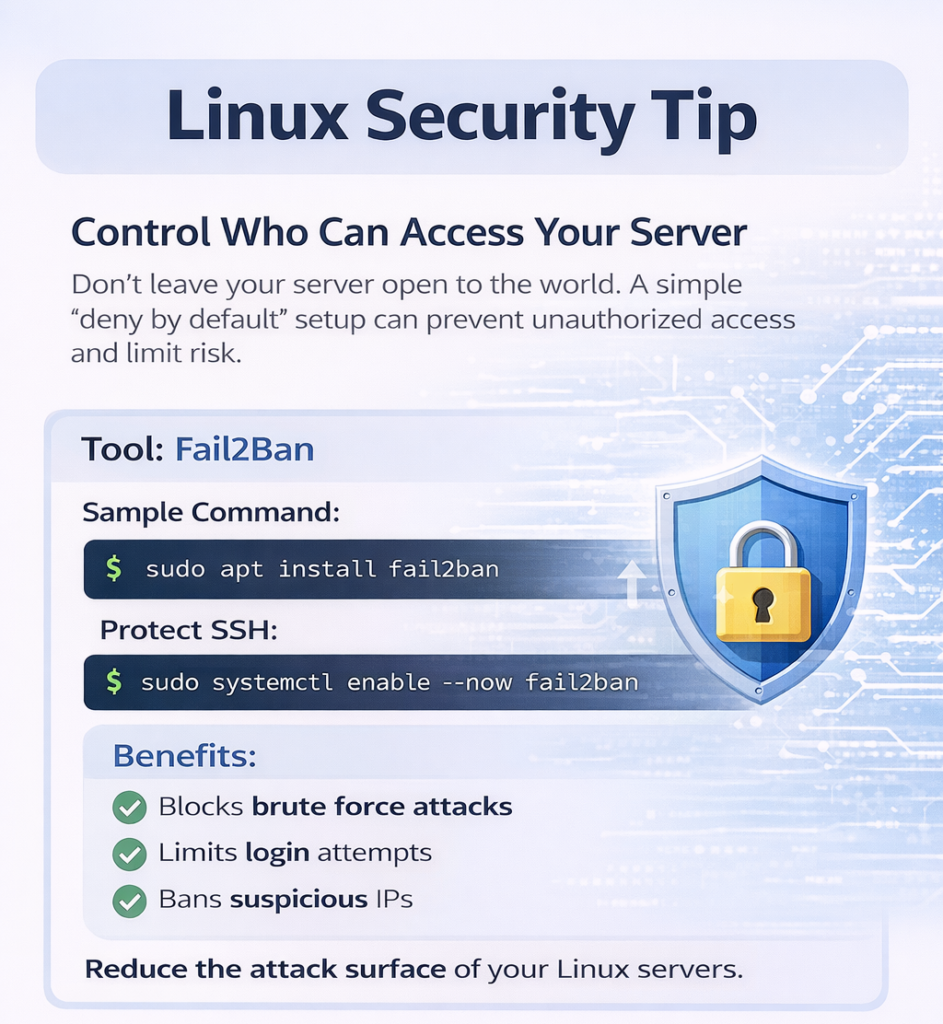
Fail2Ban automatically blocks suspicious login attempts to protect your Linux server from brute force attacks and unwanted guests.
A simple “deny by default” rule reduces unauthorized access and significantly improves security.
Blocking the bad guys reduces noise and let you focus on business, not constant threats. Contact now to know more.
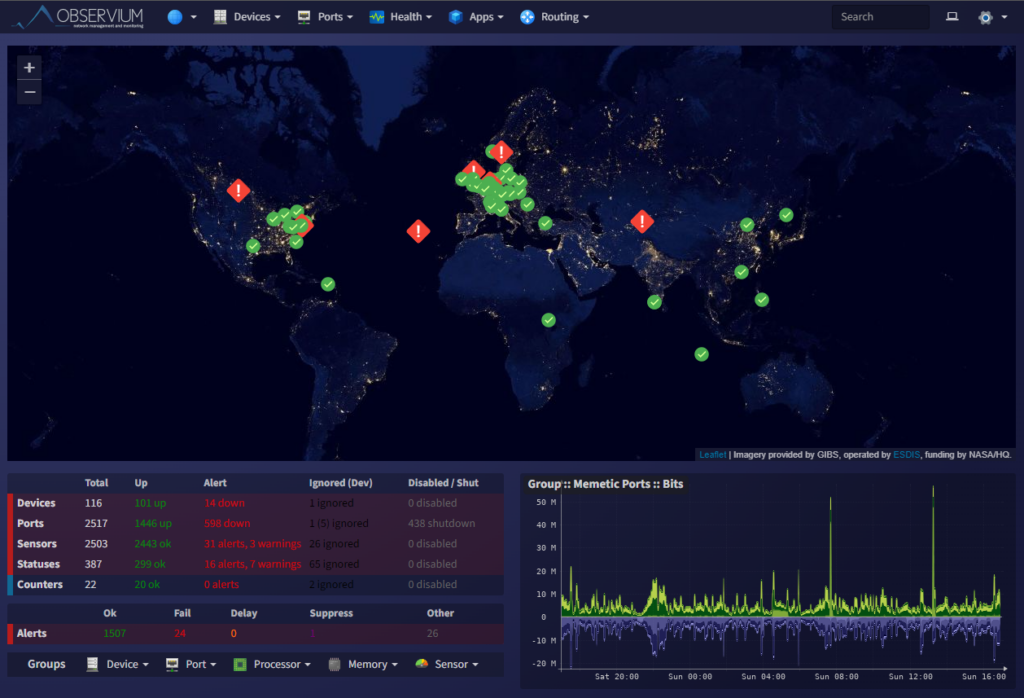
We deploy & configure Observium for:
✔ Bandwidth monitoring per POP
✔ SNMP monitoring of routers & switches
✔ Traffic utilization graphs
✔ CPU / RAM alerts
✔ Customer SLA monitoring
✔ WhatsApp / Email alerts integration
👉 Detect downtime BEFORE your customers complain!
🔸 Reduce downtime
🔸 Prevent internal misuse
🔸 Improve SLA compliance
🔸 Professionalize operations
🔸 Prepare for growth
Ideal for:
• FTTH ISPs
• Cable ISPs
• District-level broadband providers
• Growing regional operators
✔ End-to-end remote deployment
✔ On-premise setup support option
✔ Documentation & SOP
✔ Engineer training
✔ Post-deployment support
✔ Affordable ISP pricing
🔹 Observium Installation
🔹 Router Integration
🔹 Monitoring Templates
🔹 30 Days Support
📞 PAN India Remote Support Available

We deploy centralized AAA (Authentication, Authorization & Accounting) servers for ISPs.
✔ Centralized router/switch login control
✔ Role-based access for NOC engineers
✔ Full command logging & accountability
✔ Multi-vendor support (Cisco, Juniper, MikroTik, Huawei)
✔ Secure ISP infrastructure
👉 Stop sharing router passwords across teams!
🔸 Reduce downtime
🔸 Prevent internal misuse
🔸 Improve SLA compliance
🔸 Professionalize operations
🔸 Prepare for growth
Ideal for:
• FTTH ISPs
• Cable ISPs
• District-level broadband providers
• Growing regional operators
✔ End-to-end remote deployment
✔ On-premise setup support option
✔ Documentation & SOP
✔ Engineer training
✔ Post-deployment support
✔ Affordable ISP pricing
🔹 TACACS+ Deployment
🔹 Router Integration
🔹 Monitoring Templates
🔹 30 Days Support
📞 PAN India Remote Support Available
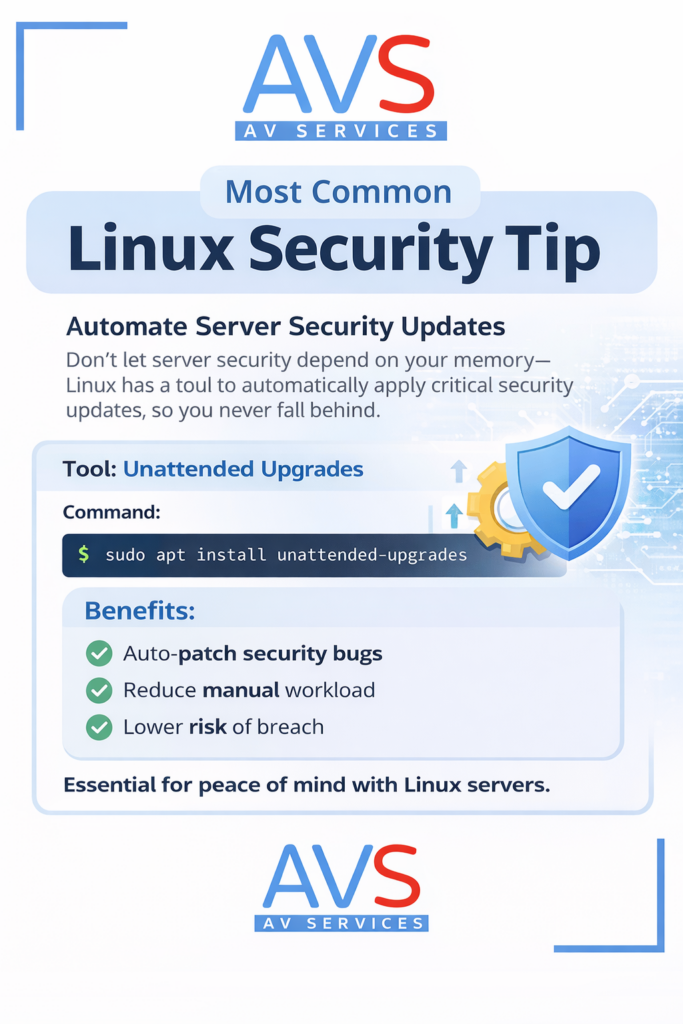
Most Linux server issues don’t happen because of complex exploits. They happen because updates are delayed. Automating security updates using tools like Unattended Upgrades ensures critical patches are applied consistently – without relying on memory or manual effort. A simple configuration step can significantly reduce exposure to vulnerabilities and lower operational risk.
If your Linux servers support revenue-generating systems, updates should be systematic — not optional.
Proactive systems care always beats emergency fixes.