AV Services · avservices.in · Linux Infrastructure, Mumbai · Since 1999
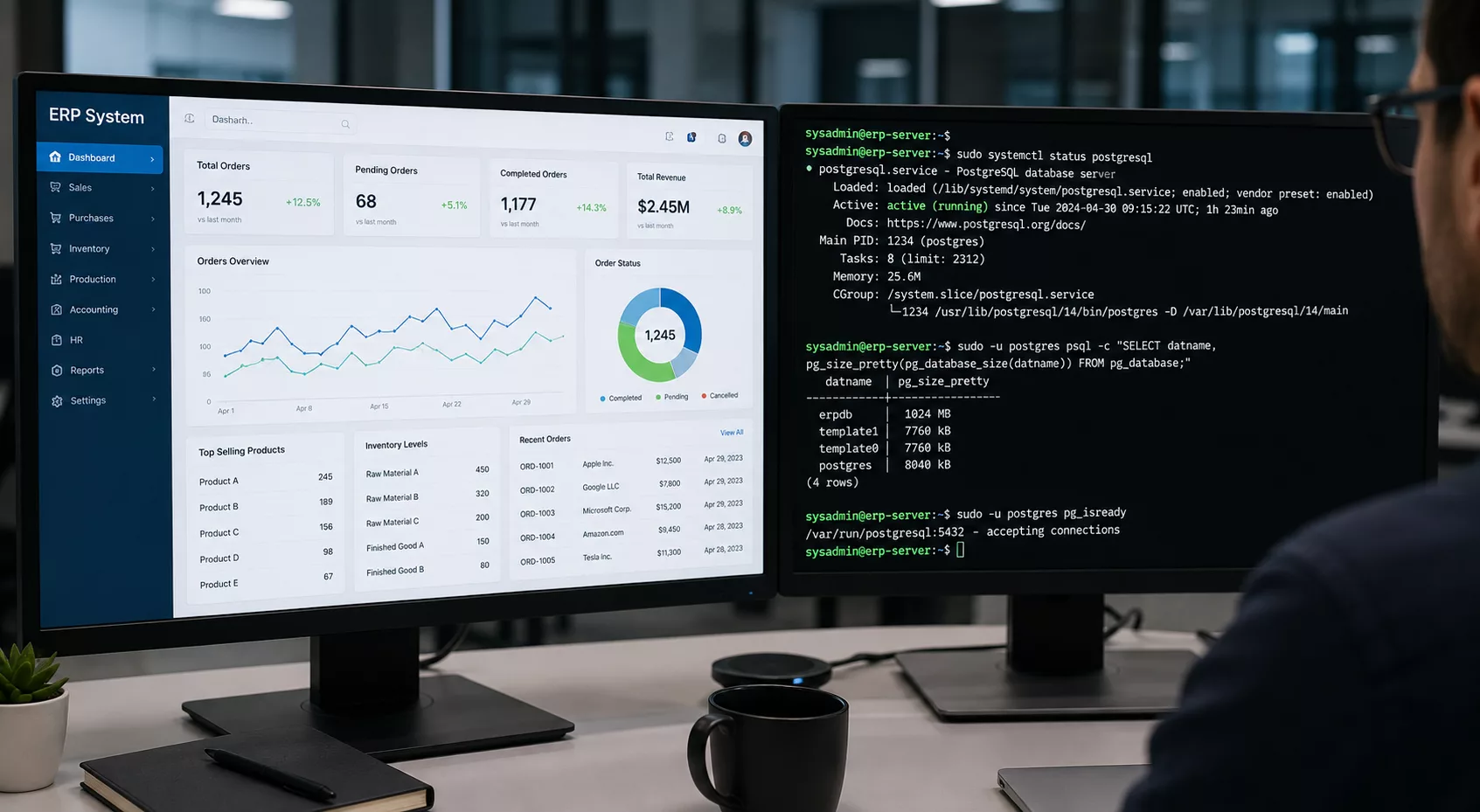
Your ERP vendor installed the software. Nobody owns the server.
Call your ERP vendor when the server crashes. See what they say.
They’ll tell you the application is their responsibility. The Linux OS underneath it — the storage, the memory, the kernel, the backups, the security patches — that’s yours. And if you don’t have a Linux specialist on retainer, that gap sits open every single day your business is running.
SAP, ERPNext, Odoo, Oracle E-Business Suite, Dynamics 365, Tally Prime Server — all of them run on Linux in production environments. All of them depend on that Linux layer being healthy. None of their vendors manage it for you.
AV Services does. Monthly retainer. Linux only. Since 1999.
What actually breaks ERP systems
It’s rarely the application. In 27 years of Linux infrastructure work, the pattern is consistent: the ERP is fine, the OS underneath it is not.
Disk fills to 100% — the ERP database stops writing, transactions fail, users get cryptic errors. The ERP vendor looks at the application logs, sees nothing wrong, and closes the ticket. The Linux disk is still full.
An OS security update changes a library dependency — the ERP won’t start the next morning. The vendor says it was working before the update. They’re right. Someone ran an unplanned update on a production server without testing. That someone is usually whoever has root access and shouldn’t.
The backup job runs every night. The backup destination ran out of space 6 weeks ago. The job completes with an error nobody reads. Then the server fails, and the last good backup is from 6 weeks ago.
These aren’t edge cases. They’re the 3 most common Linux-layer failures AV Services gets called in to fix. All preventable. None of them are the ERP vendor’s problem.
What AV Services manages
The scope is the Linux server layer — everything the ERP sits on top of.
OS patching with ERP compatibility checks. Every update is tested against your ERP environment before it touches production. No blind updates on a live ERP server.
Disk and storage monitoring. Alerts fire at 80% utilisation. Disk fills are a scheduled task, not a 3am crisis.
Backup verification with monthly restore tests. The backup running and the backup working are two different things. Every month, a restore test confirms the difference.
Database-layer health checks. MySQL, MariaDB, PostgreSQL — whichever your ERP uses, the database process, query performance, and log health are monitored continuously.
Security hardening and CVE patching. An ERP server holds your entire business — financials, customer data, inventory, payroll. It’s a high-value target. SSH hardening, firewall rules, fail2ban, and monthly CVE patching keep the attack surface small.
Emergency response — onsite within 2 hours. If the ERP goes down and the Linux layer is the problem, Arun is on-site within 2 hours anywhere in Mumbai.
ERP servers hold exactly the personal data the DPDP Rules 2025 require you to protect and document. DPDP compliance for ERP server owners →
A real example
AR Gold, a jewellery manufacturer in Mumbai, accidentally formatted the Linux server running their ERP. Full data loss. Production stopped. AV Services was called in — data recovery, full ERP restoration, multiple site visits. Resolved.
A monthly retainer at Rs.15,000 would have caught the disk condition weeks earlier and prevented the incident entirely. The retainer is now in place.
Pricing
Essential — Rs.15,000/month. 1 server. Monthly patching, backup verification, monitoring, monthly health report.
Professional — Rs.30,000/month. Up to 3 servers. Bi-weekly cycles, full security hardening, incident response included, 24/7 priority support.
Business Critical — Rs.50,000/month. Up to 6 servers. Weekly cycles, dedicated response SLA, CVE monitoring, emergency patching, 24/7 including public holidays.
International clients — USD pricing available. View full pricing including USD rates →
Initial audit — Rs.10,000 to Rs.25,000 depending on environment size. Waived with a 3-month commitment. Month-to-month after that. 30 days notice to exit.
MariaDB on ERPNext: where performance actually breaks
ERPNext runs on MariaDB. That is the database doing the work every time someone posts a journal entry, generates a purchase order, or runs a stock ledger report. Most Linux admins ignore it until something goes wrong. By then, the slowdown has been grinding for weeks.
The first thing to check is innodb_buffer_pool_size. Out of the box, MariaDB sets this at 128MB. On a server running ERPNext with 50+ users, that is wrong by a factor of 8. The buffer pool should sit at 60 to 70 percent of available RAM. On a 16GB server, that is roughly 10GB. Without it, InnoDB reads from disk on every query. You will see it in slow query logs as full table scans on tabGL Entry and tabStock Ledger Entry, the two largest tables in most ERPNext installs.
Memory leaks are the second problem. ERPNext background workers via Redis keep MariaDB connections open. If wait_timeout is left at the default 28800 seconds, stale connections accumulate. SHOW PROCESSLIST starts showing 80+ sleeping threads. The fix is dropping wait_timeout to 300 and interactive_timeout to match.
Slow query diagnosis starts with enabling the slow query log: slow_query_log = 1, long_query_time = 2. Run mysqldumpslow weekly. ERPNexts fiscal year close and monthly GST report runs are the usual offenders, queries that run fine on 6 months of data and choke on 3 years. Index audits on tabGL Entry fix most of it.
Backups need a separate note. mysqldump on a live ERPNext database during business hours causes table locks. Use –single-transaction with InnoDB to avoid it. And verify the dump restores. A 4GB compressed SQL file that will not import is not a backup.
27 years. One focus.
AV Services has managed Linux servers since 1999. Geeta Engineering Works in Thane — 14 years, active. AR Gold — active retainer post-recovery. Field engineering for Comtech Services, Source Support Services, and Pyramid Computer GmbH — all verified by signed documents on file.
No Windows. No app development. No audiovisual. Linux infrastructure. That’s the whole business.
The stack behind every managed server
Monitoring
Observium, Nagios, and Cockpit. Continuous monitoring with alerts configured before thresholds become incidents. You find out about problems before your users do.
Backup
rsync and borgbackup. Monthly restore test to a temporary location — not just a check that the job ran. A backup that has not been restored is an assumption, not a backup.
Security
fail2ban, auditd, iptables/ufw/firewalld. Monthly patching via apt or yum. Staged where possible, direct to production with rollback plan where not. SSH access audited every maintenance cycle.
Communication
Dolibarr ticketing for incident history. WhatsApp and Telegram for real-time updates. Monthly maintenance report by email. Per-client config documentation in plain text and wiki — so nothing depends on memory.
Related Reading
When did someone last check if your ERP backup actually worked?
Free 30-minute audit call. No access needed. No commitment.
⚡ Check Your Risk Book Free Audit → ⚡ Server Down? Call Now